
PSAHelpline.ph, previously known as NSOHelpline.com or NSOHelpline, is an online service portal operated by Pilipinas Teleserv, an accredited partner of the PSA (Philippine Statistics Authority). PSAHelpline is authorized by the PSA to accept online requests for PSA-authenticated civil registry documents such as birth certificates, marriage certificates, death certificates, and CENOMAR (Certificate of No Marriage).
Here’s a simplified guide on how to obtain a birth, marriage, or death certificate, or CENOMAR online through PSA Helpline:

Step 1: Order Your Certificate Online
1. Visit the PSAHelpline.ph homepage and click the “Order Now” button at the top menu bar. Alternatively, you can directly access the PSA online application page at orders.psahelpline.ph/order/choose-type.
2. Select the type of PSA certificate you need.
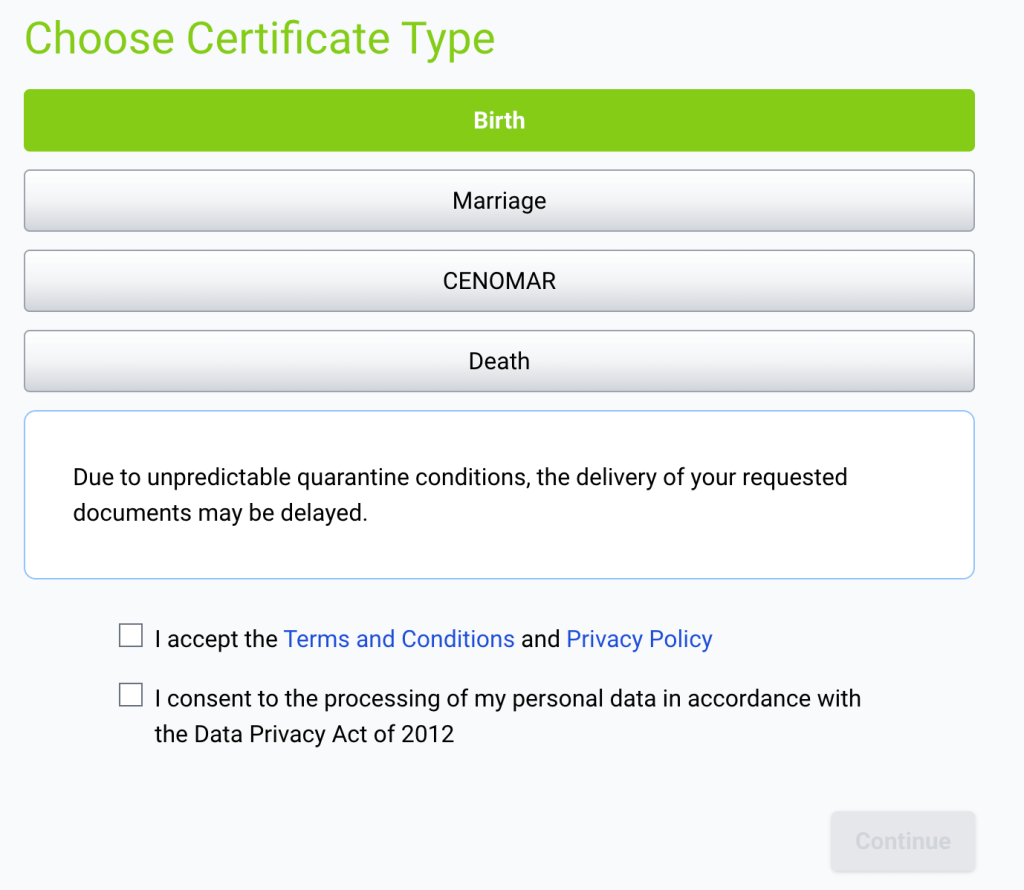
3 Accept the Terms and Conditions and Privacy Policy by ticking the box, then click “Continue.”
4. Choose the appropriate option for requesting your own certificate or someone else’s, and click “Continue.”

5. Fill out the PSA online application form.
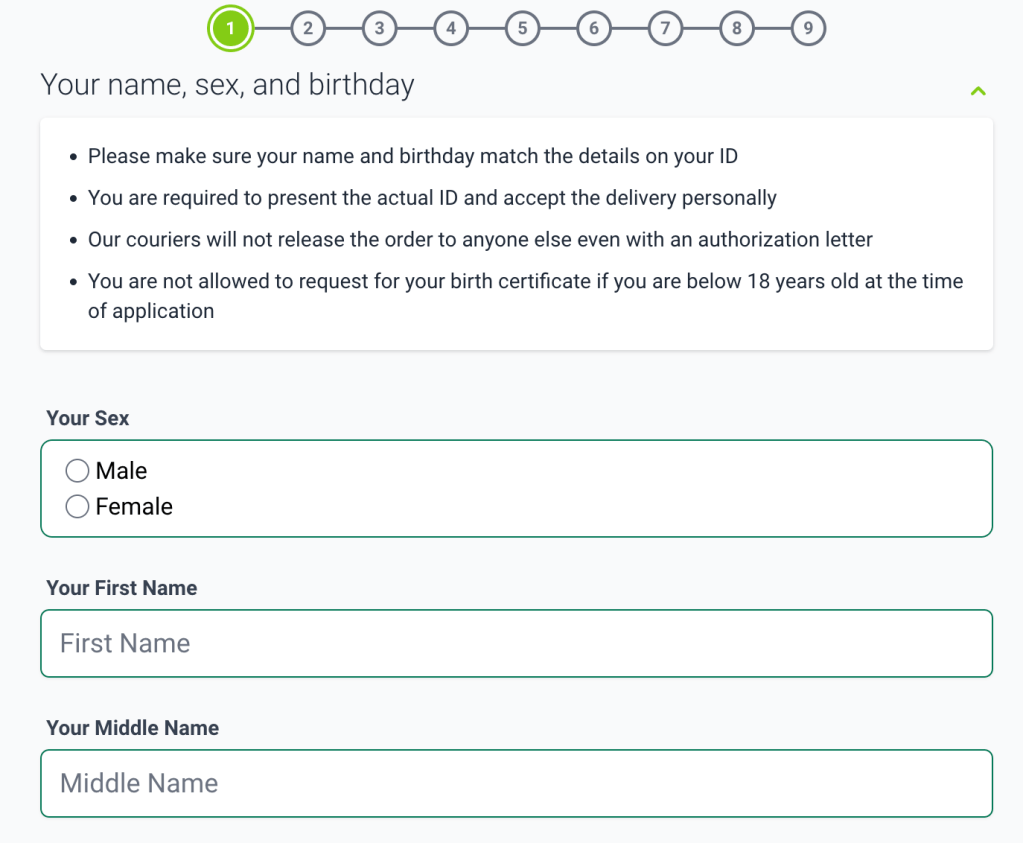
6. Provide your contact details and delivery address. Review the information on the order confirmation page, then click “Continue.”
7. Select your preferred payment channel. Payment instructions will be provided. You will also receive a text message and email from PSAHelpline containing your reference number.
Step 2: Pay for the Fee Online or Over the Counter
PSAHelpline.ph charges ₱365 for each copy of birth, marriage, or death certificate, and ₱420 for a copy of CENOMAR.
Online Payment Channels:
- Bayad Online (website or mobile app)
- Credit card (Visa or Mastercard)
- Dragonpay
- GCash
- Maya
To pay online via credit card:
- On the PSAHelpline homepage, click the “Payment Options” tab on the upper right portion.
- Select the “Credit Card – Pay Now” option.
- Enter your 10-digit reference number and click “Proceed.”
- Provide your credit card details and click “Complete Order.”
To pay online via GCash:
- On the PSAHelpline homepage, click the “Payment Options” tab.
- Select the “GCash – Pay Now” option.
- Enter your 10-digit reference number and click “Proceed.”
- Enter your registered GCash mobile number and MPIN.
- Review the payment details and proceed with the payment. You will receive confirmation via email and SMS.
Over-the-Counter Payment Channels:
- BancNet ATM
- Bayad stores
- Dragonpay
- 7-Eleven
- Palawan Pawnshop
To pay over the counter:
- Visit the nearest PSA Helpline payment partner.
- Fill out a payment slip with the required details (Company/Biller name, Reference/Account number, Account name/Payor’s name).
- Submit the payment slip and your payment to the teller or cashier.
- Receive your validated payment slip.
Step 3: Wait for Your Document Delivery
PSAHelpline will deliver PSA-authenticated certificates within three to four working days in Metro Manila, and three to eight working days outside of Metro Manila, after payment.
PSA Helpline Tracking: How to Track Your Order Online
- Visit the PSAHelpline.ph homepage and click the “Check Status” tab. Alternatively, go to orders.psahelpline.ph/check-status.
- Enter your order reference number.
- Click the “Check Status” button.
- View your order status on the Check Status page.
The convenience of the PSA online application justifies the higher price, especially if you’re willing to wait a few days for your PSA certificates. With the online application, you can avoid taking time off work and spending an entire day obtaining your documents. It also minimizes the risks associated with COVID-19.
However, if you’re short on time or want to save on fees, visiting a PSA Serbilis Center for a walk-in application remains a practical option. You can receive your PSA certificate within the same day or the next working day.
PSA walk-in application fees are lower compared to the PSA online delivery price: ₱155 for each copy of birth, marriage, and death certificates, and ₱210 per CENOMAR copy.
Note that the PSA now requires an online appointment, so be sure to book online at the PSA website before visiting a PSA Serbilis branch. Only individuals with confirmed appointments and valid appointment slips will be allowed entry. Additionally, remember to wear a face mask and face shield, and practice social distancing when queuing.
 The Daily Netizen